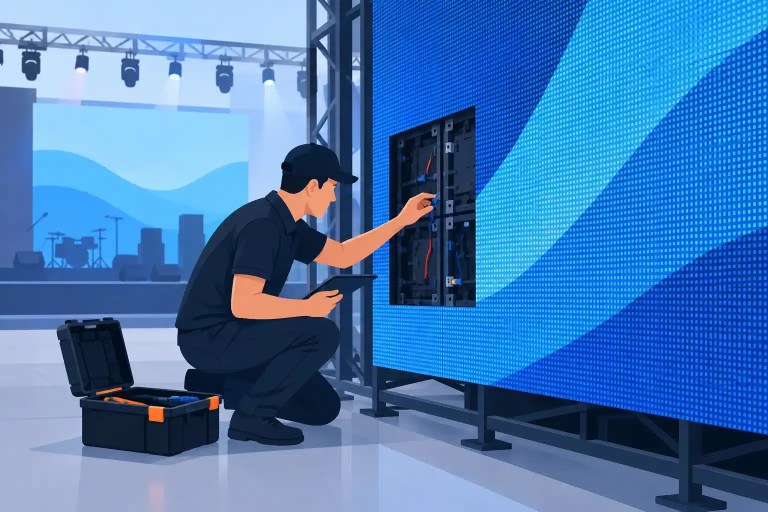


A video wall rarely fails at a convenient time. A few intermittent pixels discovered in the shop can become a visible color block on a ballroom screen, a failed tile during a tour stop, or a panel pulled from otherwise rentable inventory. Effective LED maintenance is not just cleaning cabinets and checking cables. It is a disciplined process for finding small problems before they become operational failures.
For professional AV companies, integrators, venues, and rental operations, the goal is not to make every display look new. It is to maintain predictable performance, protect image quality, and make informed repair-versus-replacement decisions before a fault affects a show, client, or permanent installation.
What LED Maintenance Actually Covers
Professional LED displays are systems, not single products. A visible issue may originate in an LED package, driver IC, module PCB, ribbon cable, power supply, receiving card, processor setting, signal path, mechanical connection, or environmental condition. Treating every symptom as a bad module creates unnecessary parts costs and can leave the underlying cause in place.
A practical maintenance program combines preventive inspection with documented diagnostics. Preventive work identifies contamination, loose hardware, damaged connectors, heat exposure, and early pixel failures. Diagnostic work starts when the wall shows symptoms such as intermittent rows, color shifts, scan-line issues, flickering, blank modules, or signal loss. The two disciplines support each other: accurate service records make recurring issues easier to isolate, while recurring faults reveal where inspection intervals or handling practices need adjustment.
The right scope depends on the display’s application. Rental inventory experiences transport, setup, teardown, and frequent connector cycles. A fixed lobby display may face long operating hours, dust, HVAC airflow, or direct sunlight. A casino or control room installation can have a low tolerance for even minor visual inconsistency. Maintenance schedules should reflect those risks rather than follow a one-size-fits-all calendar.
LED Maintenance Starts With Baseline Condition
A maintenance plan is only useful when the team knows what normal looks like. Establish a baseline after commissioning, after a major repair, or when inventory returns from a deployment. Record cabinet and module serial information where available, processor and receiving-card configuration, brightness settings, calibration status, known cosmetic damage, and the results of a full-screen test pattern sequence.
Solid red, green, blue, white, grayscale, and black patterns reveal different faults. A dark pixel may be obvious on white but disappear on a dark test. A color imbalance may point toward an LED, driver channel, calibration issue, or module mismatch. Grayscale can expose nonuniform brightness, while black can reveal abnormal glow, data problems, or power-related behavior. Video content alone is not a dependable inspection tool because motion and source material can hide defects.
For rental operations, photograph or log the condition of questionable cabinets before they reenter available stock. This helps separate pre-existing damage from a newly developed failure and gives technicians a reference point if a symptom returns. For permanent installations, keep the same records with site-specific details such as ambient temperature, access limitations, and the history of power or network events.
Inspect the Failure Points That Affect Uptime
Visual inspection should be methodical, not limited to obvious dead pixels. Check module faces for impact damage, lifted masks, cracked corners, moisture marks, or signs that a module is not seated correctly. Inspect cabinet frames, locks, locating pins, hanging hardware, and power and signal connectors for wear or strain. A mechanically compromised cabinet can create intermittent electrical symptoms that appear to be a module failure.
Inside the system, look for heat discoloration, swollen components, damaged ribbon cables, connector wear, loose fasteners, and evidence of moisture or contamination. Do not overlook the power and signal path. A group of modules failing together, an issue that moves when a cable is swapped, or a fault that appears after warm-up can point away from the visible module.
Technicians should also review processor, controller, and receiving-card behavior when the symptom is broader than one tile. Incorrect mapping, configuration mismatches, unstable input, firmware inconsistencies, or power sequencing issues can produce problems that resemble damaged hardware. Replacing panels before the signal path is verified can consume time and inventory without resolving the fault.
Cleaning Requires Restraint
Cleaning matters, particularly in venues, retail environments, and rental inventory, but aggressive cleaning creates its own risks. Dust accumulation can reduce airflow and make cosmetic defects more apparent. Improper liquids, excessive pressure, or poorly controlled compressed air can push contaminants into electronics, damage LED faces, or affect coatings and connectors.
Use cleaning methods approved for the specific display construction and environment. Isolate power when service procedures require it, use appropriate antistatic practices, and avoid treating all front-service modules as equally durable. If contamination is inside the cabinet or accompanied by corrosion, staining, or intermittent behavior, it is no longer a routine cleaning issue. It needs inspection and diagnosis.
Know When a Pixel Fault Is a Repairable Module Problem
A single failed pixel does not always justify pulling a module immediately. The decision depends on pixel pitch, viewing distance, display location, client expectations, and whether the fault is stable. On a high-visibility corporate wall, broadcast backdrop, or close-viewing retail display, one pixel can be unacceptable. On a large outdoor screen viewed at distance, the operational threshold may be different.
What matters is the pattern. Isolated pixel failures can remain isolated, but clusters, repeated color failures, intermittent behavior, or multiple faults on the same module deserve closer attention. These symptoms may involve failed LEDs, driver IC channels, damaged traces, weak solder joints, or prior repair work that did not address the root cause.
Component-level repair can be a practical option when the module is otherwise serviceable and an exact replacement is unavailable, delayed, discontinued, or financially impractical. Proper repair requires more than replacing a visible LED. It may involve microscope-level inspection, precision soldering, IC or PCB work, electrical testing, and visual verification against test patterns. The repaired module should then be tested in conditions that reflect its intended use, including brightness and color checks where applicable.
There are limits. A module with extensive physical damage, widespread corrosion, repeated trace failure, or incompatible color characteristics may be a poor candidate for repair. The technically correct answer is sometimes replacement, particularly when repair would create an unreliable spare or a visible mismatch within the wall. Maintenance should support good operational decisions, not force every defect into the same repair path.
Build Documentation Into the Service Process
The difference between occasional troubleshooting and managed maintenance is documentation. Each repair or inspection should leave behind useful information: reported symptom, observed fault, diagnostic steps, work performed, parts or components replaced, test results, and any recommendations for follow-up. For multi-location organizations and large rental inventories, this record becomes valuable operational data.
Documentation helps identify repeat offenders. If several modules from the same batch show identical driver failures, if a particular cabinet position repeatedly has signal issues, or if damage rises after a specific type of deployment, the pattern can guide inventory rotation, training, transport practices, or a broader engineering review.
It also strengthens handoffs between warehouse technicians, field crews, account teams, and clients. A module labeled simply as “repaired” leaves questions. A documented repair with final QC results gives the next operator a clearer basis for deploying it. Organizations managing critical LED assets should expect this level of accountability from their technical process.
Set Service Intervals Around Real Operating Conditions
Maintenance intervals should be based on use, not optimism. A touring wall may need quick inspection and test verification after every return, with deeper evaluation after a defined number of deployments or a known impact event. A permanent indoor wall may need scheduled visual review, cleaning, and functional testing based on hours of operation and environmental exposure. Outdoor installations require particular attention to seals, drainage, corrosion, thermal behavior, and power protection.
Create escalation triggers as well. A cabinet should be removed from service or reviewed promptly after impact damage, water exposure, repeated power faults, visible heat damage, abnormal odor, unstable signal behavior, or a recurring module problem. Waiting until a marginal component fails in the field usually increases both the repair scope and the cost of downtime.
For organizations without in-house board-level capability, a specialized technical repair partner can evaluate whether a failed module, processor, or controller is repairable and document the work before it returns to service. 725Co. supports this type of work with component-level diagnostics, precision repair, and final QC for professional LED systems.
The most useful maintenance result is not a cleaner cabinet or a repaired pixel by itself. It is the confidence that the display assigned to the next event, venue, or installation has been inspected with purpose, tested properly, and kept in service for the right reasons.

José de Jesús “Chuy” Martínez is the Founder and CEO of 725co. LED Repair Professionals. With over two decades of hands-on electronics experience and a career specializing in LED technology since 2012, he has contributed to major live-event productions, permanent LED installations, and projects involving industry leaders such as PRG, 4Wall, and Freeman. His background in component-level repair, technical team leadership, and large-scale LED systems drives 725co’s commitment to precision, quality, and professional reliability.