A module that passes a quick warehouse power-up can still fail halfway through a client load-in. That is the operational problem behind rental inventory display failures: a panel may appear serviceable until it is installed in a full wall, exposed to transport vibration, run at show brightness, or placed on a different receiving-card path. The visible symptom might be a black section, intermittent lines, dead pixels, incorrect color, or a panel that refuses to map. The real cause is often deeper than the symptom.
For rental houses and production teams, the goal is not simply to get an LED panel to light. It is to return inventory to a condition that can be deployed with confidence. That requires a diagnostic process that separates handling damage, module-level electronic faults, power problems, data-path issues, configuration errors, and prior repair defects.
Why rental inventory display failures tend to repeat
Rental LED inventory is exposed to a different failure pattern than a fixed installation. Panels are packed, unloaded, flown, stacked, rebuilt in new configurations, and connected to different processors and cable paths. A fault that is intermittent in a warehouse can become obvious when the panel is under physical stress or operating in a larger video wall.
Repeated failures are also common when the first repair addressed the visible issue rather than the failed component or underlying condition. Replacing a module may restore an image, but it does not explain why that module failed. If the cause was a damaged connector, unstable power path, cracked solder joint, moisture exposure, incorrect configuration, or a problem in the cabinet’s data chain, the same panel can return from the next job with a similar complaint.
The pressure to turn inventory quickly can make this cycle worse. A technician may need a functional spare immediately, and a temporary swap is often the right operational decision. But temporary field recovery should be followed by controlled bench diagnosis before the affected panel is cleared for another rental.
Start with the failure pattern, not the replacement decision
A useful diagnosis begins by documenting what the display is actually doing. “Bad panel” is a starting point, not a diagnosis. Is the problem present at every brightness level? Does it follow the module when modules are exchanged? Does it move when a known-good signal cable, receiving card, power supply, or port is substituted? Does it appear only after warm-up or only when the panel is flexed during installation?
Those observations help narrow the fault domain. For example, a single repeated vertical line may point toward a driver IC, row or column circuit, PCB trace, or module interconnect issue. A full black module could involve the module itself, power delivery, HUB board connection, data path, or receiving-card output. A color shift can be caused by damaged LEDs, driver circuitry, calibration data, configuration mismatch, or an incorrect module replacement.
The distinction matters because professional LED systems are assemblies. The cabinet, power supply, receiving card, HUB board, modules, harnesses, connectors, processor settings, and calibration files all influence the final image. Swapping parts without isolating the fault can consume good spares while leaving the actual problem in service.
Intermittent faults need more than a visual inspection
Intermittent issues are among the most expensive rental inventory problems because they can disappear during a basic test. A panel may work flat on a bench yet fail when hung, tilted, heated, or connected after several cabinets in a signal chain.
Common contributors include fatigued connectors, cracked solder joints, marginal power connections, damaged ribbon cables, PCB damage near mounting points, and previous repair work that did not restore the board’s mechanical and electrical integrity. These conditions may not be visible without magnification, controlled testing, and deliberate handling checks.
A proper evaluation should reproduce the reported condition where practical. That can include extended runtime, brightness testing, known-good signal substitution, power verification under load, and tests through the cabinet path rather than at the module alone. The objective is not to make the fault disappear. It is to determine why it appears.
The four fault areas that deserve separate checks
Rental inventory display failures often get grouped together because the symptoms look similar from the audience side. On the bench, four areas should be evaluated independently.
Module and pixel-level electronics
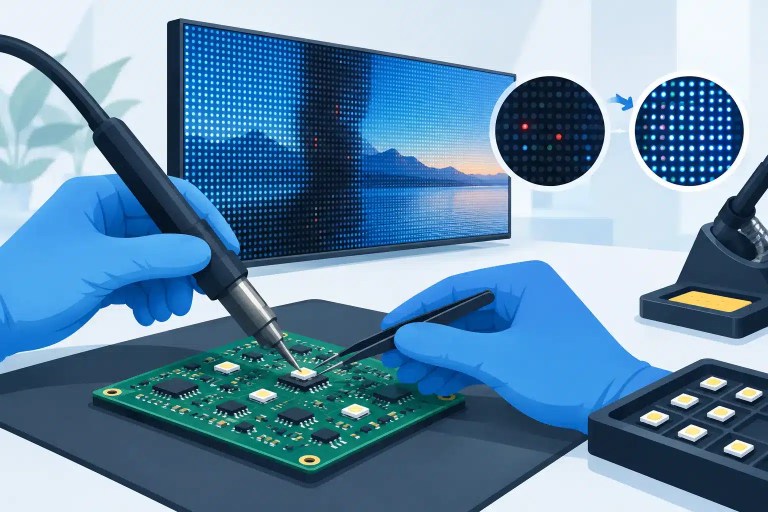
Dead pixels, stuck pixels, dim pixels, color-specific failures, missing rows, and missing columns can originate in LEDs, driver ICs, passive components, circuit traces, or solder connections. Component-level repair can be practical when the module is otherwise serviceable and the defective area can be identified accurately.
This work requires more than replacing an LED by appearance. The replacement component must be appropriate for the module’s pixel pitch, package, color characteristics, and optical performance. After repair, the module needs inspection and functional testing for color behavior, brightness consistency, and stability.
Cabinet power delivery
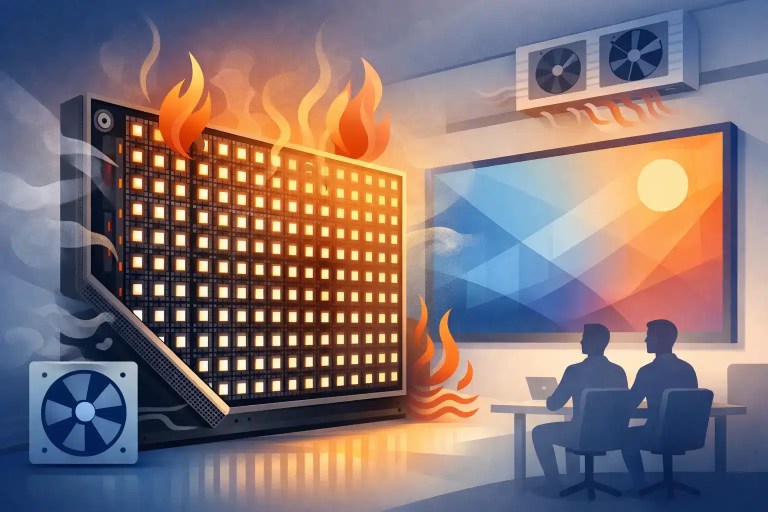
A panel that flashes, dims, resets, or fails under higher brightness may have a power issue rather than a failed LED module. Loose or heat-affected connections, aging power supplies, damaged harnesses, and poor contact points can create voltage drop that only becomes apparent under load.
Checking power at the source is not enough. The relevant question is whether correct, stable power reaches the module and receiving system during operation. A system can show acceptable voltage with minimal load and still fail when running event content at production brightness.
Signal path and control hardware
When an image is missing, corrupted, delayed, or inconsistent across cabinets, the module may be innocent. Receiving cards, HUB boards, Ethernet paths, connector condition, processor output, mapping, firmware compatibility, and configuration files all need consideration.
Controlled substitution is valuable here. Moving a suspected module into a verified cabinet, or placing a known-good module into the suspect location, can establish whether the failure follows the module or stays with the cabinet. The same logic applies to receiving cards, cables, and processor ports. It reduces guesswork and prevents unnecessary module replacement.
Mechanical damage and prior repair quality
Rental panels absorb impact over time. Corner damage, cabinet twist, connector stress, damaged magnets, bent frames, and pressure on module PCBs can create electrical problems that are not obvious from the front face. Even a panel that locks physically can have alignment or contact issues that affect reliability.
Prior repairs deserve the same scrutiny. An unverified module swap, excess solder, lifted pads, incorrect LED orientation, damaged masks, or incomplete cleaning can produce a panel that works briefly but does not meet rental-grade expectations. Repair quality affects both immediate image performance and the panel’s ability to withstand the next transport cycle.
Build a return-to-inventory process that catches the next failure
The most effective prevention happens before a panel returns to the shelf. A repair ticket should retain the reported symptom, fault found, work performed, components replaced when applicable, and final test result. This makes recurring patterns visible. If several panels from a particular batch show the same connector damage or driver failure, the operation can inspect related inventory before it reaches a job.
Final testing should reflect real deployment conditions as closely as practical. A basic power-on check is useful, but it is not sufficient for high-visibility inventory. Panels should be evaluated for uniform image output, pixel behavior, color response, stable signal operation, physical fit, and runtime stability. If calibration data or module configuration is involved, that should be verified as part of the repair release process.
It also helps to separate three inventory categories: ready to deploy, requires controlled repair, and parts-only or replacement review. This keeps marginal panels from being treated as available spares simply because they display an image for a few minutes. A clear status system protects technicians from making rushed decisions during prep and gives operations teams a more accurate view of usable inventory.
When repair is the practical choice
Replacement is not always the fastest or most economical response to a failed rental panel. Matching modules may be delayed, discontinued, unavailable in the required binning, or impractical to purchase for an isolated fault. Component-level repair can preserve a compatible module, reduce avoidable replacement expense, and keep a larger inventory set visually consistent.
Repair is not automatically the right answer in every case. Severe PCB damage, extensive corrosion, recurring structural damage, obsolete components, or multiple failure modes may justify replacement or retirement. The right decision depends on the panel’s condition, available spares, expected deployment risk, and whether the repair can be tested and documented to an appropriate standard.
For organizations managing significant LED inventory, a specialized repair partner can provide the diagnostic depth that is difficult to maintain during normal warehouse operations. 725Co. applies component-level diagnostics, precision soldering, and documented QC to help teams identify the actual fault and make a practical repair-versus-replacement decision.
The panel that fails at the worst possible time is often the one that was never fully understood after its last issue. Treating each failure as evidence, rather than an isolated inconvenience, gives rental teams a better path to reliable inventory and fewer surprises when the wall goes live.

Jose de Jesus Martinez (Chuy) is the CEO of 725co. LED Repair Professionals, a trusted name in high-quality LED module repair and video wall services. With over 12 years of experience and certification as an electronic engineer, Chuy has built a reputation for excellence, partnering with industry leaders. Under his leadership, 725co is known for precision repairs, transparent service, and a commitment to protecting the long-term value of LED investments.