A panel that flickers for two seconds during load-in can become a highly visible failure once the wall is live. For rental teams, integrators, and venue operators, the goal is not simply to make the symptom disappear. To fix LED panel flicker reliably, you need to identify whether the fault begins in the power path, signal path, module electronics, receiving card, processor, or the content source.
Flicker is often treated as a bad module by default. Sometimes it is. But replacing modules without isolating the cause can move the problem, create color-matching issues, and leave the underlying failure in the system. A structured diagnosis protects uptime and avoids replacing inventory that may still be repairable.
Start by Defining What the Flicker Actually Does
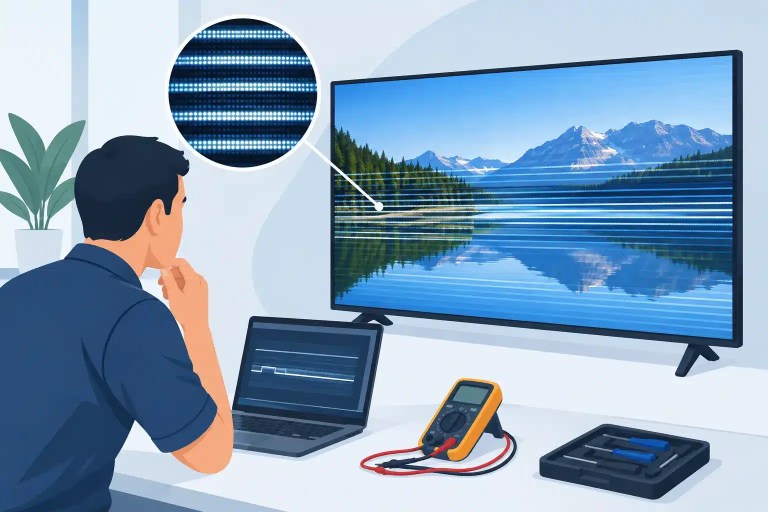
“Flicker” can describe several different behaviors, and each one points toward a different part of the system. A whole cabinet flashing black is not the same fault as a single module pulsing, a horizontal band changing brightness, or a cluster of pixels flashing one color.
Before changing hardware, document the symptom under known conditions. Note whether the problem appears on a specific input, at a specific refresh rate, after the wall has been powered for a period of time, or only at certain brightness levels. Record the cabinet position, module position, processor settings, receiving-card configuration, and the source being used. A short video can be useful, especially for intermittent faults that are difficult to reproduce on the bench.
The pattern matters. Four common patterns are especially useful during triage:
- A complete cabinet or group of cabinets drops out briefly.
- One module flashes, dims, shifts color, or shows unstable rows.
- The issue travels with a signal cable, output port, or cabinet position.
- The issue begins only after warm-up or during high-brightness content.
A local, repeatable issue usually points to a module, hub board, connector, receiving card, or cabinet power distribution problem. A fault that follows a cable or processor output is more likely related to signal integrity, configuration, or the upstream chain. Heat-related flicker can indicate a marginal component, degraded solder connection, failing power supply, or load condition that is not apparent during a brief cold test.
Isolate Power Before Replacing Panels
Power instability is one of the most common reasons an LED panel appears to flicker. Professional LED cabinets draw substantial current, particularly on bright white content or high-energy video. A supply that looks acceptable at idle may sag when the cabinet is under load.
Start with the cabinet power supply and distribution path. Verify input voltage, grounding, output voltage, connector condition, and load behavior. Look for heat discoloration, loose terminals, stressed connectors, damaged power jumpers, or evidence of repeated arcing. A cabinet may power on normally while still experiencing a voltage drop that causes intermittent scan failures or unstable brightness.
If possible, compare the suspected cabinet against a known-good cabinet using the same content and signal path. Swap one variable at a time. Moving the suspected module into a known-good cabinet can help determine whether the fault follows the module. Moving a known-good module into the original location can reveal a cabinet-level issue. This is more informative than replacing several parts at once.
Power supplies should be tested under realistic load conditions. A no-load voltage reading is not enough to clear a supply. For technicians working on live-event inventory, this distinction can prevent a panel from passing a quick prep-room check and failing during a show.
Check the Signal Path and Configuration
When flicker affects multiple cabinets, appears as intermittent black frames, or follows a data route, inspect the signal path before opening modules. Start at the source and work downstream through the processor, output card, fiber conversion if used, Ethernet cabling, receiving cards, hub boards, and module data connections.
Known-good cables are essential for this process. Ethernet cables that look undamaged can have marginal pairs, intermittent connectors, or poor strain relief. In a daisy-chained wall, one compromised connection can affect every cabinet after that point. Reseat connections carefully, inspect pins and locking mechanisms, and verify that cables are routed without excessive tension or sharp bends.
Processor and receiving-card settings also deserve attention. Incorrect mapping, mismatched receiver files, unsupported scan settings, refresh-rate changes, grayscale settings, or firmware inconsistencies can create apparent panel problems. This is particularly relevant after a processor swap, cabinet reconfiguration, firmware update, or deployment of modules from a different batch.
Do not assume that a higher refresh rate solves every flicker complaint. Camera-visible flicker and human-visible flicker are different problems. A wall may look stable to the eye but show scan artifacts on camera because of shutter speed, frame rate, brightness, or processing settings. Conversely, obvious instability to the eye usually requires a hardware or configuration diagnosis, not just a camera adjustment.
When the Fault Is Inside the LED Module
If the issue stays with a specific module after cabinet and signal swaps, module-level repair becomes the practical next step. The visible symptom may come from failed LEDs, damaged driver ICs, cracked solder joints, compromised PCB traces, failed decoupling components, connector damage, or scan-related circuitry.
For example, a repeating flicker in one row or column can indicate a driver-channel or data-path issue. A color-specific pulse may point to an LED, driver IC, or associated circuit rather than the entire module. A module that changes behavior when lightly flexed or after it warms up may have a solder-joint or PCB-level defect. These are not problems that should be diagnosed by visual inspection alone.
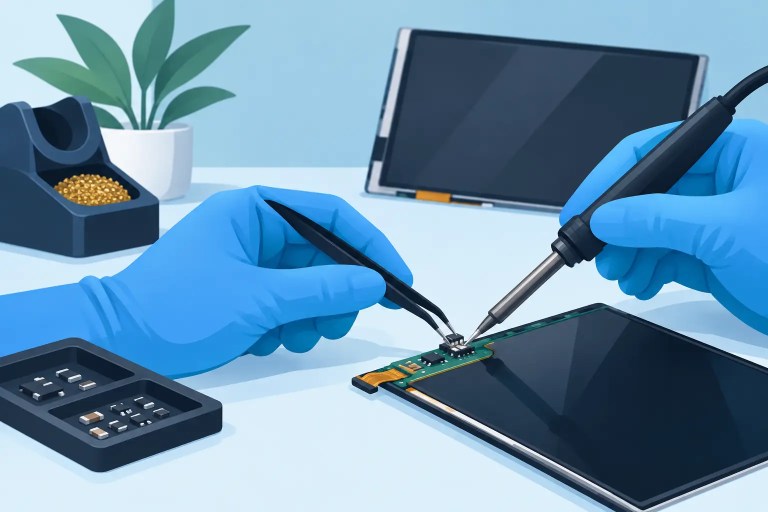
Component-level evaluation uses controlled testing, measurement, and microscope-level inspection to find the actual failing area. The repair may involve replacing a failed LED, driver IC, passive component, connector, or damaged section of the circuit path. After repair, the module should be tested for color consistency, brightness behavior, scan stability, and repeatable operation before it returns to inventory.
There is a trade-off. If a module has widespread physical damage, severe corrosion, extensive PCB delamination, or unavailable components, replacement may be more practical. But a single unstable component does not automatically make a module disposable. For large inventories and discontinued product lines, repair can be the better operational decision when it restores reliable performance and preserves matching stock.
Fix LED Panel Flicker With Controlled Swaps
The fastest troubleshooting method is not random swapping. It is controlled substitution with a written result after each step. Change one cable, module, receiving card, power supply, or processor output at a time, then determine whether the symptom follows the part or stays with the location.
This approach helps separate three common scenarios. If the flicker follows the module, the module is the primary suspect. If it remains in the same cabinet location, investigate power, hub board, receiving card, and internal connections. If it moves with the input or data route, focus on the processor, configuration, output path, and cable chain.
For intermittent faults, allow adequate run time after each change. A five-minute test may not expose a thermal or load-dependent failure. Use representative content, including bright scenes and motion, rather than a static black or low-brightness test pattern alone.
Verify the Repair Before Returning the Cabinet to Service
A flicker repair is not complete when the panel lights up. The repaired unit should undergo final testing that reflects how it will be used. That includes extended run time, signal verification, brightness and color checks, connector inspection, and confirmation that the cabinet remains stable at expected operating load.
Documentation is valuable here. Recording the original symptom, root cause, repair performed, parts used, and final QC result gives technical teams a history they can use if the issue returns or similar failures appear elsewhere in the fleet. It also helps purchasing and operations teams make better repair-versus-replacement decisions.
725Co. has supported professional AV organizations for 14 years with component-level diagnostics, precision repair, and documented QC because a functioning wall is not the same as a dependable one. When flicker affects a high-visibility display, the right next step is to isolate the failure methodically, verify the fix under real conditions, and return only stable equipment to the field.

Jose de Jesus Martinez (Chuy) is the CEO of 725co. LED Repair Professionals, a trusted name in high-quality LED module repair and video wall services. With over 12 years of experience and certification as an electronic engineer, Chuy has built a reputation for excellence, partnering with industry leaders. Under his leadership, 725co is known for precision repairs, transparent service, and a commitment to protecting the long-term value of LED investments.