A panel that passes a warehouse check and fails on the wall before doors open is rarely just “a bad panel.” For AV rental teams, integrators, venues, and production companies, understanding why LED panels keep failing means separating the visible symptom from the actual failure path. A dead pixel, color shift, intermittent row, or black module may begin with an LED, but it can also point to a driver IC, a damaged PCB trace, power instability, a receiving-card issue, poor handling, or an earlier repair that did not address the root cause.
Replacing every suspect module can restore an image quickly, but it does not necessarily solve the condition that created the failures. When replacement stock is limited, panels are discontinued, or a wall must match an existing inventory, proper diagnosis becomes a practical path to protecting uptime and asset value.
Why LED Panels Keep Failing Under Real-World Conditions
Professional LED displays operate in demanding conditions that differ significantly from typical consumer display environments. Rental panels travel in cases, move through loading docks, get built and struck repeatedly, and may run for long hours in hot venues. Installed displays face their own pressures, including constrained ventilation, building-power variations, and continuous operation.
Failures often appear random because the display is made up of many interconnected systems. A single damaged data path can affect a section of pixels. A marginal power connection can create intermittent behavior that disappears on the bench. A processor setting or receiving-card configuration can mimic a module failure. The visible result may be simple. The diagnosis often is not.
Mechanical stress and handling damage
Impact is an obvious cause, but not all handling damage leaves a cracked mask or broken corner. Flexing a module during removal, over-tightening hardware, improper stacking, connector strain, or pressure on the face can fracture solder joints or damage fine PCB traces. Those failures may behave intermittently for weeks before vibration, temperature change, or repeated assembly causes a more obvious loss of signal.
Rental inventory is particularly vulnerable when a panel is forced into alignment or used to pull adjacent panels into position. LED cabinets are precision assemblies, not structural tools. A cabinet can appear physically acceptable while a module inside has experienced enough stress to create recurring pixel or scan-line problems.
Heat, airflow, and component fatigue
Heat reduces the operating margin for many electronic components in an LED system. Driver ICs, power supplies, LEDs, regulators, connectors, and capacitors can become less stable when temperature is excessive or repeated thermal cycling is severe. A panel may run normally during a brief test but develop problems after several hours at high brightness in a tightly packed wall.
Heat problems are not always caused by an unusually hot room. Blocked airflow, dust accumulation, failed fans, poor cabinet ventilation, excessive brightness settings, or an undersized power design can raise operating temperatures enough to accelerate component fatigue. The repair decision should account for the environment. Replacing a failed IC without addressing the thermal condition can allow the same underlying issue to affect future operation.
Power problems that look like panel problems
Unstable or incorrect power can create symptoms that are frequently blamed on modules: flickering, dim areas, random resets, color inconsistency, or cabinets dropping offline under load. Loose power connectors, fatigued harnesses, weak power supplies, and voltage drop across long runs all deserve attention.
The key detail is whether the problem follows the module, the cabinet position, or the power path. If the same module fails in multiple cabinet locations, module-level diagnosis becomes more likely. If different modules fail in the same location, the issue may be upstream. Testing under representative load matters because a marginal supply can appear normal with a low-brightness test pattern and develop problems during white content or high-refresh video.
Signal integrity, receiving cards, and configuration
A bad image does not automatically mean bad LEDs. Data-cable damage, poor connector contact, receiving-card faults, processor configuration, firmware mismatches, and incorrect module mapping can all produce symptoms that resemble failed hardware. Depending on the display architecture, one issue can affect a row, a column, a scan group, an entire module, or multiple cabinets.
This is where rushed troubleshooting becomes expensive. Swapping modules until the image returns may get a wall through a show, but it can also move a good module into a bad signal position and create confusion about what actually failed. A controlled diagnostic process isolates the module, cable path, receiving card, power source, and processor settings before repair work begins.
Common Failure Symptoms and What They May Mean
Dead pixels are among the most visible defects, especially on close-view displays. Yet a cluster of dead pixels can indicate a driver IC or data issue rather than several independent LED failures. A single incorrect color pixel may be a damaged LED package, while a repeated pattern across a scan line points more strongly toward the control path.
Color shift is another symptom that deserves closer inspection. It may result from aging LEDs, calibration differences, moisture exposure, unstable power, damaged driver circuitry, or replacement components that do not match the original specification. Simply making the panel light again may not be enough when the repaired module must blend into a camera-facing or client-facing wall.
Intermittent faults can be particularly disruptive. They may appear during transport, only after warmup, or only at a certain brightness level. These are commonly associated with cracked solder joints, weakened connectors, marginal ICs, trace damage, or power instability. They require testing beyond a quick visual check.
The Cost of Repeated Quick Fixes
A fast module swap has a place in live-event operations. When show time is approaching, restoring the wall takes priority. The problem begins when that temporary action becomes the entire repair strategy.
Repeated swaps can hide patterns in the inventory. A module with an unresolved intermittent defect gets moved from case to case. A cabinet with a damaged hub board gets blamed on multiple modules. A receiving-card issue generates unnecessary module replacements. Over time, teams can lose confidence in their spare inventory because they cannot clearly distinguish repaired, untested, and properly evaluated panels.
Poor repair practices add another layer of risk. Excessive heat during soldering can lift pads or damage nearby components. Incompatible LEDs can create color and brightness mismatch. Replacing a component without checking related circuits may leave the original cause in place. These outcomes are why component-level repair requires appropriate tooling, microscope work, controlled soldering methods, and final validation.
A Better Diagnostic and Repair Process
The goal is not to repair every panel at any cost. The goal is to make a documented decision: repair it, replace it, or investigate the system around it. That decision should be based on evidence rather than the first visible symptom.
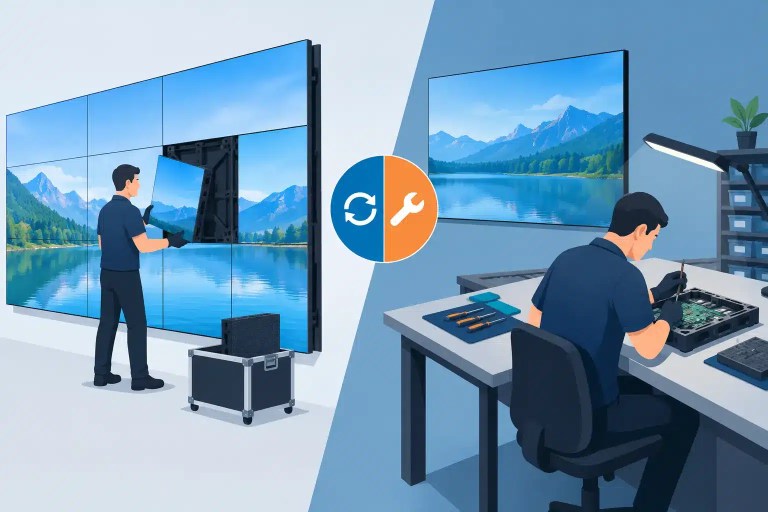
A professional workflow begins by documenting the defect and reproducing it with known-good inputs. Technicians then isolate the fault through module swaps, cabinet-position testing, power verification, signal-path checks, and inspection of connectors, PCBs, LEDs, driver ICs, and related components. For complex defects, this may involve tracing damaged circuitry or replacing failed surface-mount components rather than treating the module as disposable.
After repair, the panel needs more than a power-on check. It should be tested for pixel function, color behavior, scan performance, brightness consistency, intermittent response, and stability under representative operating conditions. Documented QC gives operations teams a clearer record of what failed, what was repaired, and how the module performed before returning to rental or installation inventory.
For organizations managing large or mixed fleets, tracking failures by cabinet, module batch, environment, and symptom can reveal bigger patterns. A rise in failures from one cabinet position may point to power or signal infrastructure. A recurring defect after a specific event cycle may indicate handling or packing issues. That information can help reduce repeat problems instead of merely processing the most recent one.
When Repair Makes More Sense Than Replacement
Replacement is often the right answer when a panel has widespread damage, obsolete components, severe moisture intrusion, or a repair cost that exceeds its operational value. But replacement is not always available or practical. Matching modules may be discontinued, lead times may conflict with event schedules, and a new module may not visually match an older wall without calibration work.
Component-level repair can be especially valuable when the issue is localized: failed LEDs, damaged ICs, broken connectors, trace damage, or defects limited to a repairable area of the PCB. It can help preserve inventory compatibility and avoid retiring a cabinet because of a small number of failed components.
With more than a decade of technical service experience supporting professional LED environments, 725Co. approaches these failures as system problems first and repair problems second. That distinction matters when a wall is expected to perform in front of a client, an audience, or a camera.
A useful next step is to treat each recurring panel defect as evidence. Record where it occurs, when it appears, how the panel behaves under load, and whether the symptom follows the module or the cabinet. That discipline turns LED failure from an expensive surprise into a problem your team can isolate, evaluate, and address with a clearer technical basis.

Jose de Jesus Martinez (Chuy) is the CEO of 725co. LED Repair Professionals, a trusted name in high-quality LED module repair and video wall services. With over 12 years of experience and certification as an electronic engineer, Chuy has built a reputation for excellence, partnering with industry leaders. Under his leadership, 725co is known for precision repairs, transparent service, and a commitment to protecting the long-term value of LED investments.