A faint duplicate image behind talent on an LED wall is not a cosmetic issue when cameras are rolling, a client walkthrough is underway, or a rental panel is about to ship. LED ghosting causes can originate anywhere from the content chain to an individual module’s driver circuitry. Treating every ghosting complaint as a bad panel can waste valuable troubleshooting time and lead to unnecessary replacement.
For professional LED systems, the first job is to define what the operator is seeing. True ghosting is a residual or repeated image that follows high-contrast objects, text, or motion. It can appear as a shadow offset to one side, a delayed trail, or a partial image retained after the source changes. That behavior must be separated from scan-line artifacts, camera shutter interaction, moire, low refresh rate, and poor content processing. The distinction matters because the repair path is completely different.
What LED Ghosting Usually Tells You
Ghosting is typically a timing, signal integrity, or pixel-driving problem. In some cases, it affects the entire wall because the fault is upstream in the processor, sender, source device, or system configuration. In others, it is limited to one cabinet, module, row, or color channel, pointing toward receiving cards, flat cables, driver ICs, or PCB-level faults.
The image pattern provides useful evidence. If the artifact appears across every cabinet at the same time, start with the source and processing chain. If it remains in one physical location after swapping content, ports, or cabinets, the issue is more likely local to that panel or module. A ghost image that only appears on fast-moving white graphics may indicate different conditions than a fixed, persistent color shadow.
Do not rely on a single test image. Solid colors, grayscale ramps, high-contrast text, moving bars, and a known-good processor input can reveal whether the problem follows video content, a signal path, or the physical display hardware.
LED Ghosting Causes in the Signal Chain
Incorrect processor, sender, or receiving-card configuration
A mismatched configuration file, incorrect scan setting, improper module parameters, or incompatible receiving-card settings can create image behavior that resembles a hardware fault. This is especially common after a receiving card replacement, processor change, firmware update, cabinet rebuild, or emergency on-site configuration adjustment.
The receiving card has to drive the module using the correct mapping, scan ratio, color order, and timing values. When those parameters do not match the module design, data can be shifted, delayed, or handled incorrectly at the driver level. The visible result may be ghosting, repeated columns, smearing, abnormal grayscale behavior, or a trailing image on motion.
Before replacing modules, verify that the correct configuration and calibration data are loaded for the exact product and revision. Similar-looking modules are not necessarily electrically identical.
Video processing, scaling, and frame timing
A processor can introduce apparent ghosting when scaling, frame synchronization, low-latency settings, or image enhancement features are misapplied. Input conversion devices and switchers can also create problems before the signal reaches the LED processor. A poor-quality source, an unstable frame rate conversion, or an incorrectly configured output resolution may leave a visible trail that is present across the entire display.
Start by feeding the processor a known-good, native-resolution test signal. Disable nonessential enhancement features temporarily and compare the result with another input source. If the artifact disappears, the modules may be functioning normally and the investigation should stay upstream.
This is also where camera-related complaints need care. A wall can look clean to the eye but show banding, rolling artifacts, or apparent trails on camera because of shutter settings, frame rate, refresh rate, or scan behavior. That is a production-system issue, not always a display repair issue.
Damaged or marginal data connections
Signal cables, hub boards, ribbon cables, and connectors can create intermittent data errors that resemble ghosting. A connector may be partially seated, contaminated, stressed by repeated cabinet assembly, or damaged at the termination. In rental inventory, repeated handling makes this a practical concern even when the cable looks acceptable externally.
A useful isolation method is to reseat and inspect connections, then swap one known-good component at a time. Move the suspect module to another known-good position, or install a known-good module at the suspect location. If the fault follows the module, the module is the likely source. If it stays with the cabinet position, investigate the receiving card, hub board, interconnect, or cabinet wiring.
Module-Level and PCB-Level Causes
Failing driver ICs
Driver ICs control how LED rows and columns receive current and refresh data. When a driver IC begins to fail, it may not produce a complete blackout. Instead, it can create residual data, delayed response, weak output on one color channel, repeated pixel information, or ghosting limited to a region of the module.
These faults often become clearer under specific test patterns. High-brightness white, fast transitions between black and white, and color-channel tests can expose a driver issue that is less visible in ordinary video. Heat can also change the symptom. A module may appear stable when cold and develop ghosting after operating in a wall for an extended period.
Replacing a suspected IC without confirming the associated signal path, passives, and PCB condition can create a repeat failure. Proper component-level diagnosis checks the relationship between the driver IC, its surrounding circuitry, the data path, and the affected pixel region.
PCB damage and compromised traces
Impact damage, flexing, corrosion, previous rework, and lifted pads can compromise traces or connections on an LED module PCB. A panel may light up and pass a quick visual check while still carrying an intermittent fault that appears under vibration, temperature change, or high data load.
Poor prior soldering work is another concern. Excess solder, bridged pins, incomplete joints, overheated pads, or replacement components that do not match the original specification can lead to image artifacts that are difficult to diagnose from the front of the wall. Microscope-level inspection and targeted electrical testing are often necessary to determine whether the issue is repairable and whether the repair will remain stable in service.
Power instability and grounding issues
Low or unstable voltage can produce unusual visual behavior, particularly when a cabinet is operating near capacity or when power distribution is inconsistent. The issue may worsen on bright content, during rapid scene changes, or after the display warms up. Loose power connections, failing power supplies, damaged harnesses, or voltage drop across a run can all contribute.
Grounding and bonding problems can also complicate diagnostics. They do not always present as classic ghosting, but they can create intermittent display behavior, communication errors, and sensitivity to connected equipment. Confirming supply voltage under realistic load is more useful than checking a cabinet only at idle.
A Practical Diagnostic Sequence
The fastest route to a reliable answer is controlled isolation rather than assumptions. Document the symptom first: where it appears, whether it affects one color or the full image, what content triggers it, and whether it changes with heat, brightness, or input source.
Then work from the broadest possible cause toward the narrowest. Verify the source and processor output using known-good content. Confirm processor and receiving-card settings. Inspect and reseat signal connections. Swap modules or cabinet components methodically to see whether the defect follows the hardware. Finally, test the suspected module at the component level when the evidence points there.
This sequence protects inventory because it prevents technicians from replacing good modules to compensate for a processor setting, damaged ribbon cable, or cabinet-level signal issue. It also produces a record that can help identify recurring failures across a fleet.
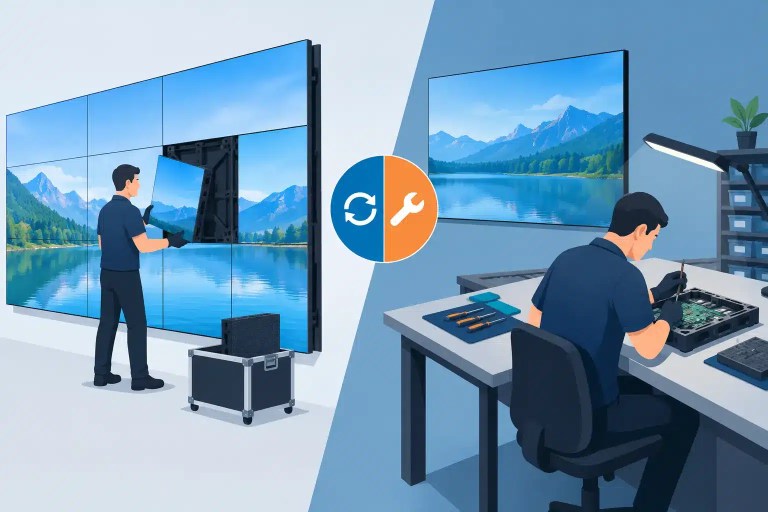
When Repair Makes More Sense Than Replacement
Replacement may be the practical choice when a module is obsolete, extensively damaged, or unavailable on a timeline that a show or installation requires. But a localized driver IC, PCB trace, connector, or pixel fault does not automatically justify discarding a professional module. For many rental houses, venues, and integrators, component-level repair can preserve matched inventory and avoid the operational complications of substituting a different revision or calibration profile.
The trade-off is that repair must be properly diagnosed and tested. A repair that restores an image for a few minutes but does not survive burn-in, movement, thermal change, or full-pattern testing creates more risk than it removes. Documented quality control should verify the original fault, the repair performed, visual output, and final functional testing before the module returns to service.
With 14 years of technical service supporting professional AV organizations, including teams associated with Freeman, 4Wall, and PRG, 725Co. approaches ghosting as a system-level diagnostic problem before deciding whether a module needs component-level repair.
The most useful next step is simple: capture the artifact on known test content, note its exact physical location, and determine whether it follows the module or the signal path. That evidence turns a vague ghosting complaint into a repair decision that protects uptime, inventory value, and presentation quality.

Jose de Jesus Martinez (Chuy) is the CEO of 725co. LED Repair Professionals, a trusted name in high-quality LED module repair and video wall services. With over 12 years of experience and certification as an electronic engineer, Chuy has built a reputation for excellence, partnering with industry leaders. Under his leadership, 725co is known for precision repairs, transparent service, and a commitment to protecting the long-term value of LED investments.