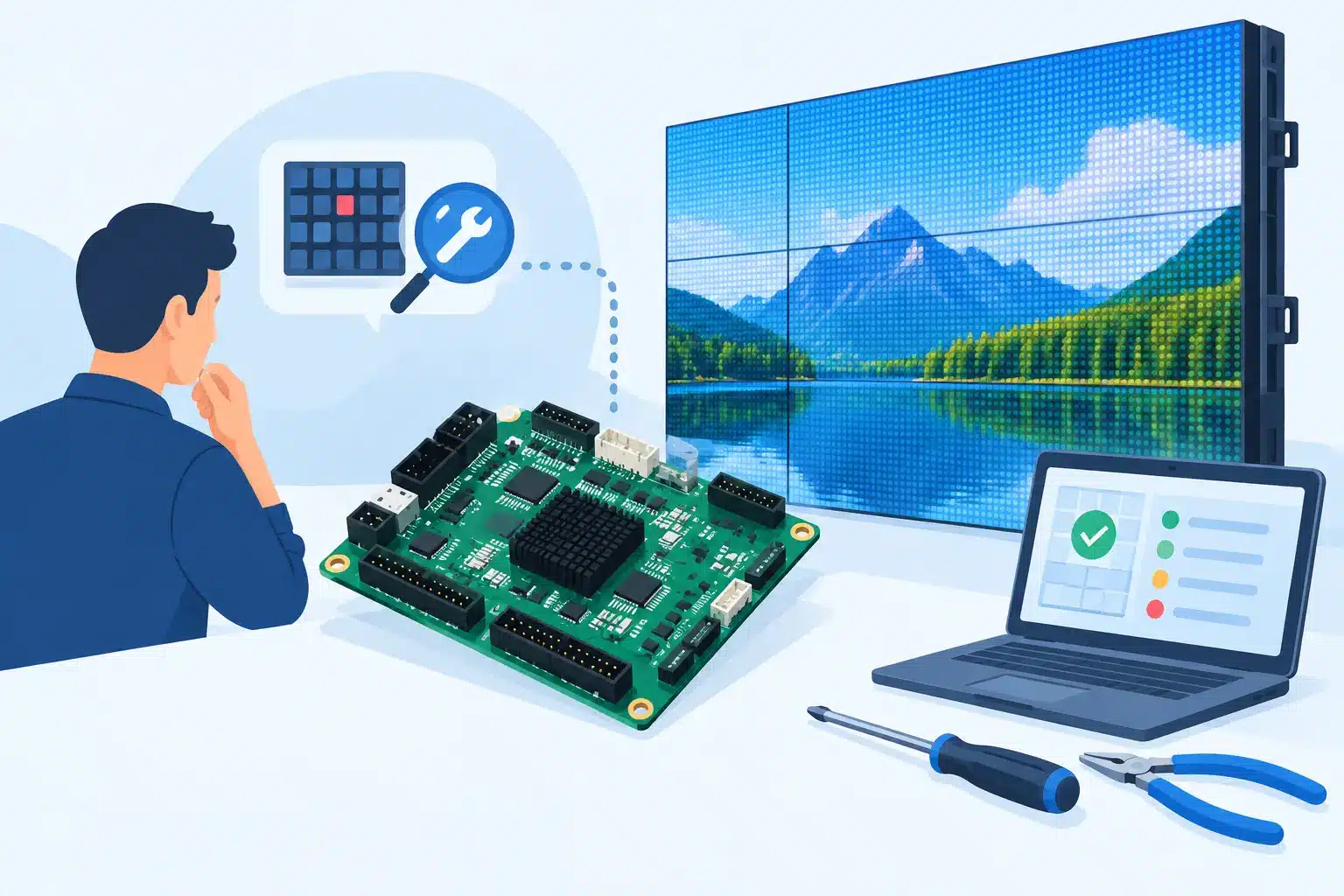
A receiving card rarely fails at a convenient time. The wall may be loading in for a show, running a client presentation, or sitting in a venue where a single black cabinet is immediately visible. A disciplined receiving card troubleshooting guide helps separate a true card failure from the many issues that can look like one: a bad data path, a power problem, incorrect configuration, damaged ribbon cabling, or a fault inside the LED module itself.
For professional LED inventory, the goal is not simply to make the image return. It is to identify the fault with enough confidence that the repair holds through transport, setup, runtime, and future deployments.
Start by Defining the Failure Pattern
Before opening a cabinet or changing software settings, document what the wall is doing. Is one cabinet black, partially lit, frozen, showing incorrect color, or displaying the wrong image section? Does the issue follow a physical cabinet when it is moved, or does it remain at the same position in the signal chain? Does it appear immediately at power-up, only after warm-up, or only when the wall is receiving live video?
Those observations narrow the diagnosis quickly. A completely dark cabinet with normal power indicators may point toward signal input, receiving card power, configuration, or an output-side fault. A cabinet that displays data but has missing rows, color channels, or intermittent sections may involve module ribbons, HUB boards, driver ICs, or PCB damage rather than the receiving card.
Photograph the symptom and record the cabinet serial number, card model, controller or processor model, firmware versions when available, and the original port mapping. For rental and production operations, this record prevents a temporary field workaround from becoming an undocumented inventory problem later.
Verify the Signal Path Before Condemning the Card
Receiving cards sit within a chain. A card can only process the data it receives, so start upstream and move methodically toward the affected cabinet.
Confirm that the sending device or processor is online, correctly configured, and outputting the intended canvas, refresh rate, and port mapping. Then inspect the Ethernet run from the previous cabinet or distribution point. Look for damaged locking tabs, crushed cable jackets, bent connector pins, moisture exposure, and cable lengths or routing that may be marginal for the deployment.
A useful isolation test is to move the known-good incoming network cable from the affected card to another cabinet, or connect a known-good cable directly to the affected cabinet when the system layout allows it. If the fault moves with the cable or upstream port, the receiving card is unlikely to be the root cause. If the issue stays with the cabinet, continue at the cabinet level.
Do not rely only on link lights. Link activity confirms a physical network connection, not that the receiving card is receiving valid configuration data or passing usable image data. A card can show network activity while the cabinet remains incorrectly mapped, frozen, or blank.
Check Loop-Through Behavior
If the affected cabinet passes signal to cabinets downstream, observe what happens after it. When the affected cabinet is dark but downstream cabinets work normally, the card may still be receiving and forwarding data, which shifts attention toward output configuration, HUB board connections, or module-side hardware.
When the affected cabinet and every cabinet after it are offline or corrupted, inspect the receiving card’s output port, the outgoing Ethernet cable, and the card itself. A failed output port is possible, but so is a poor connection that only fails under movement or vibration. Test with known-good cables before replacing hardware.
Confirm Power at the Receiving Card and Cabinet
A receiving card requires stable low-voltage DC power, commonly supplied through the cabinet’s power distribution or HUB board. A cabinet can have active fans, a lit power supply LED, or partially energized modules while the receiving card is under-voltage, unstable, or not powered at all.
Measure the supply at the receiving card power connector under load. Check the connector seating, harness condition, ground connection, and signs of overheated terminals. Compare readings with an adjacent known-good cabinet. A voltage reading that looks acceptable with the wall idle may drop when brightness increases or when the cabinet warms up.
Power quality matters as much as nominal voltage. Intermittent blanking, random resets, and a cabinet that returns after a power cycle can be caused by loose DC connectors, failing power supplies, damaged distribution boards, or poor grounding. Replacing the receiving card without finding the underlying power problem can create a repeat failure.
Inspect the Card-to-Module Connections
The receiving card does not create the image by itself. It distributes data through a HUB board or direct ribbon connections to the LED modules. Loose, reversed, creased, or damaged ribbon cables can cause symptoms that are often misdiagnosed as receiving card failures.
With power removed, inspect every ribbon connection between the receiving card or HUB board and the modules. Verify orientation, full insertion, latch condition, and pin alignment. Look closely for darkened contacts, torn conductors, corrosion, or stress around connectors. In rental cabinets, repeated module removal and transport can create intermittent ribbon faults that are not obvious during a quick visual check.
If the fault affects a predictable group of modules, swap a known-good ribbon cable or move the suspected module connection to a known-good output where the cabinet design permits. The result is more useful than guesswork: if the failure follows the cable or module, the receiving card is not the primary repair target.
Check Configuration, Mapping, and Firmware Carefully
A receiving card can be healthy while its configuration is wrong. Symptoms may include mirrored content, incorrect cabinet order, a shifted image, wrong scan behavior, abnormal grayscale, or an image that appears only on part of the cabinet. These are configuration problems until proven otherwise.
Verify that the correct receiving card configuration file is loaded for the exact cabinet model, module resolution, scan rate, IC type, and HUB layout. Similar-looking panels may use different module parameters. Loading a configuration from a related product line can create confusing output or, in some cases, place unnecessary stress on the display hardware.
Back up the working configuration before making changes. Then compare the affected cabinet against a known-good cabinet with the same hardware revision. Check receiving card firmware compatibility with the processor and configuration software, but do not treat firmware updates as a first response. Updating a card without confirming the cause can erase useful evidence, introduce version conflicts, or make recovery more difficult when a card is already unstable.
Use Controlled Swaps to Prove the Fault
The most reliable field diagnostic is a controlled swap with a confirmed working, compatible receiving card. Preserve orientation and configuration details, then install the good card in the suspect cabinet. If the cabinet returns to normal with no other changes, the original card is a strong suspect.
Next, place the suspected card into the known-good cabinet if operational risk allows. If the same failure follows the card, the diagnosis is much stronger. If the failure stays with the original cabinet, investigate its power distribution, HUB board, module ribbons, and modules.
Controlled swaps require compatible hardware and careful handling. A card with different connector layout, firmware expectations, or configuration may produce misleading results. In high-value installations, document every swap and return each known-good component to its original location before closing the test.
When Receiving Card Repair Makes Sense
Visible burn marks, liquid exposure, damaged Ethernet ports, lifted connectors, missing power regulation, and failed output circuitry can indicate a repairable receiving card. Whether repair is the right choice depends on card availability, lead time, failure mode, cabinet age, and the value of maintaining matched inventory.
Component-level evaluation can be especially practical when replacement cards are discontinued, unavailable, or require a long procurement cycle. It also matters when repeated card failures suggest a deeper cause such as power instability, grounding issues, or physical stress in the cabinet. Replacing cards without addressing those conditions can turn a manageable fault into recurring downtime.
At 725Co., the diagnostic process is built around isolating the actual failure before repair decisions are made. That includes checking the card in context with the cabinet, its modules, signal path, and power system, followed by documented QC and final testing after component-level work where appropriate.
Receiving Card Troubleshooting Guide: When to Escalate
Escalate the issue for bench diagnosis when the cabinet has intermittent failures that cannot be reproduced consistently in the field, visible PCB damage, repeated configuration loss, suspected short circuits, or failures that return after cable and power checks. Also escalate when the wall is part of a critical event, permanent public-facing installation, or rental inventory where a field repair could introduce more risk than it removes.
Avoid repeated power cycling, forced firmware writes, or swapping multiple unknown parts at once. Those actions can obscure the original fault and make a later diagnosis less efficient. A clear symptom record, controlled isolation tests, and the original hardware together give a repair technician the best chance of returning the system to dependable service.
The practical objective is not to prove that a receiving card is bad. It is to prove what failed, correct it at the right level, and return the cabinet to inventory or operation with confidence in the repair path.

Jose de Jesus Martinez (Chuy) is the CEO of 725co. LED Repair Professionals, a trusted name in high-quality LED module repair and video wall services. With over 12 years of experience and certification as an electronic engineer, Chuy has built a reputation for excellence, partnering with industry leaders. Under his leadership, 725co is known for precision repairs, transparent service, and a commitment to protecting the long-term value of LED investments.